

Manufacturing intelligence
Shop-floor data, live, and linked to the order, the machine, the risk and the document it belongs to.
ThreadWare exposes what your plant is actually doing, connects it to the records it belongs to - down to the controlled procedure and the board minute - and lets anyone in the business ask about it in plain language. AI-enabled from the first release, running on your own hardware.
The gap
Your plant already produces the data. It stops before it reaches anyone.
The ERP is accurate and auditable, and unreachable from the floor. API access exists, at a price.
Documents are filed, not searchable. The index is a file manager and an Outlook mailbox.
Dashboards report last month in a fixed format. The question you have this morning is not on them.
What it does
Live, linked, and askable
LIVE
Captured at the line, on the device already in the operator's hand, with the minute it was recorded.
LINKED
One record carries the production order, the sales order, the maintenance job and the risk assessment.
ASKABLE
An assistant built into the app from day one, answering against your own data and citing what it used.
One record, every thread
Open a production order and everything attached to it is already there. No second system, no export, no spreadsheet stitched together the night before the meeting.
Modules
One platform, every thread
Every module runs on the same data model, the same sign-in and the same permissions. Switch on the ones you need; people get roles per module, per company. Adding another later is configuration, not a new integration project.
QUALITY (QMS)
A controlled master, not a shared drive
Only the effective revision of a procedure reaches anyone - on screen, in print and in the assistant's answers. Approval routes per document type and process, with named people where the procedure requires them.
Signatures confirmed with a password every time and bound to the exact content signed. Read-and-understood training, shop-floor forms signed and locked, and a hash-chained audit trail an auditor can see verified on the spot.
MEETINGS & MINUTES
Recorded, transcribed on your own server, signed by the chair
The board, its committees, the AGM and team meetings: invitations, the pack, and minutes taken live, section by section. Record in the browser or upload the Teams, Zoom or Meet file - it is transcribed on your server, by speaker if you choose, and laid out under each agenda item.
Numbered actions and resolutions, round-robin consents, minutes signed with a password and amended only by consent. For a board, the member list is the reader list.
PLANT AND PROCESS
Instrument tags and charts, live tile boards for phone and wall screen, and machine-learning forecasts and fault risk that report "no skill" when they have none.
PRODUCTION
Orders, job cards and scoresheets; op specs signed off and issued against orders; certificates of conformance built from the lab's own results.
STOCK AND PLANNING
On hand per warehouse, planned receipts and issues, a material check before release, and what will run out - including stock held at a customer's site.
GOVERNANCE
Company-level risk for the board and executive, business KPIs owned by named people, and a KPI pinned into the minutes exactly as the meeting saw it.
SAFETY AND PEOPLE
Risk and incident reporting, injury on duty with medical notes kept to the nurse and HR, time and attendance with a muster list, visitor passes and performance reviews.
SUPPORT AND AI
A built-in support desk, a searchable document library, plain-English user guides for every module, and an assistant that answers from all of it.
In the product
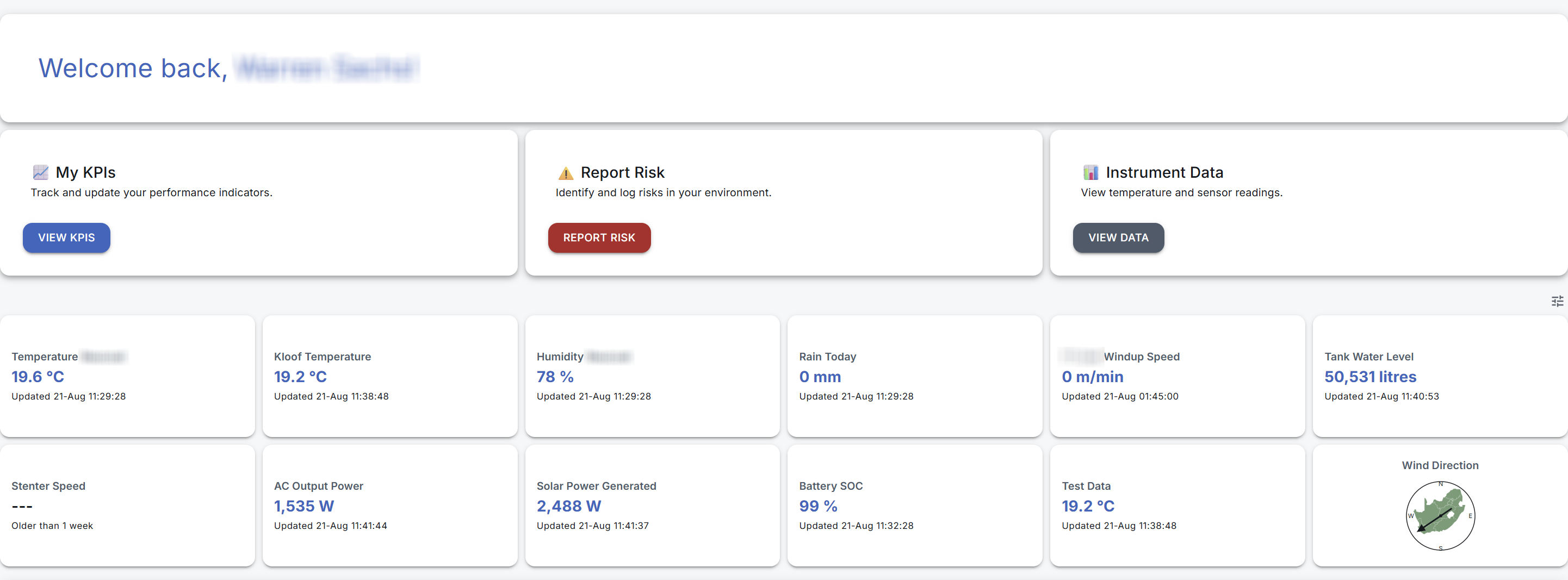
Instruments, KPIs and risk on one screen
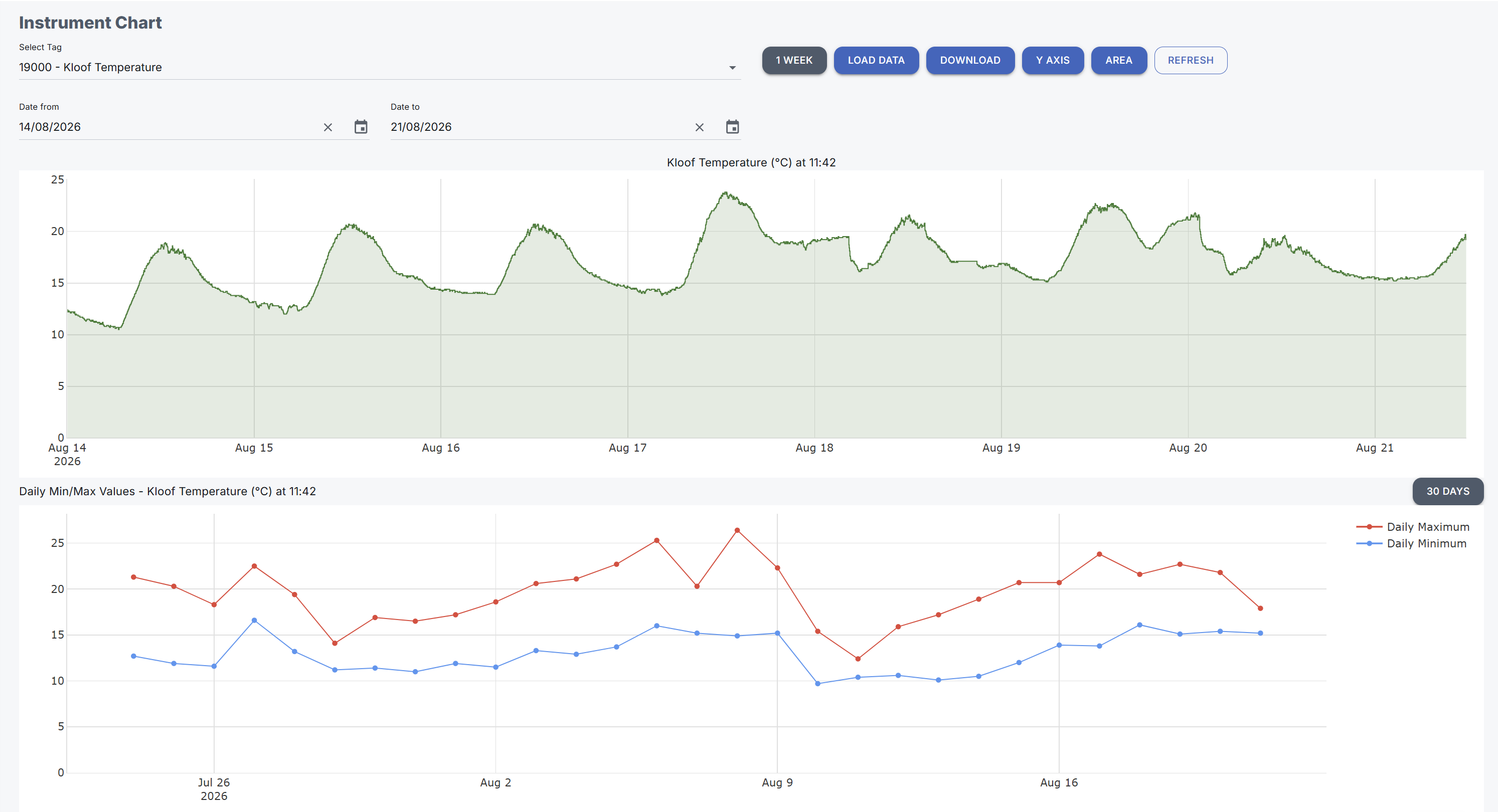
A week of readings at full resolution, with daily minima and maxima beneath.
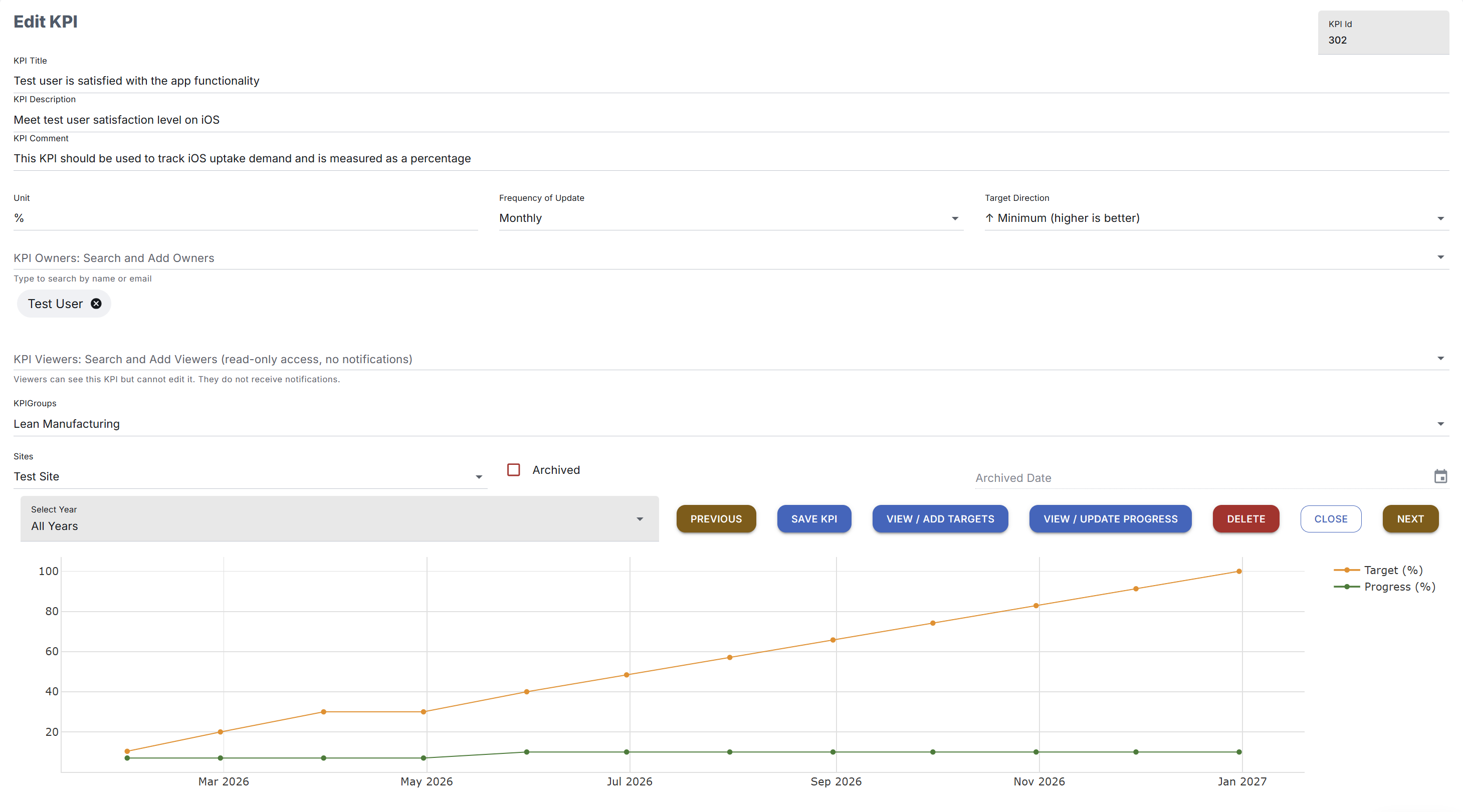
Target against actual progress, owned by a named person and grouped by programme.
How the AI works
Ask in plain language. Get an answer with its sources attached.
You upload
Procedures, risk assessments, manuals, regulations, certificates.
We index on premise
Documents are embedded on your own hardware, alongside live plant data.
You ask
A question in your own words, across instruments, KPIs, risks and documents.
It cites
Every answer lists the records and documents it drew on, so it can be checked.
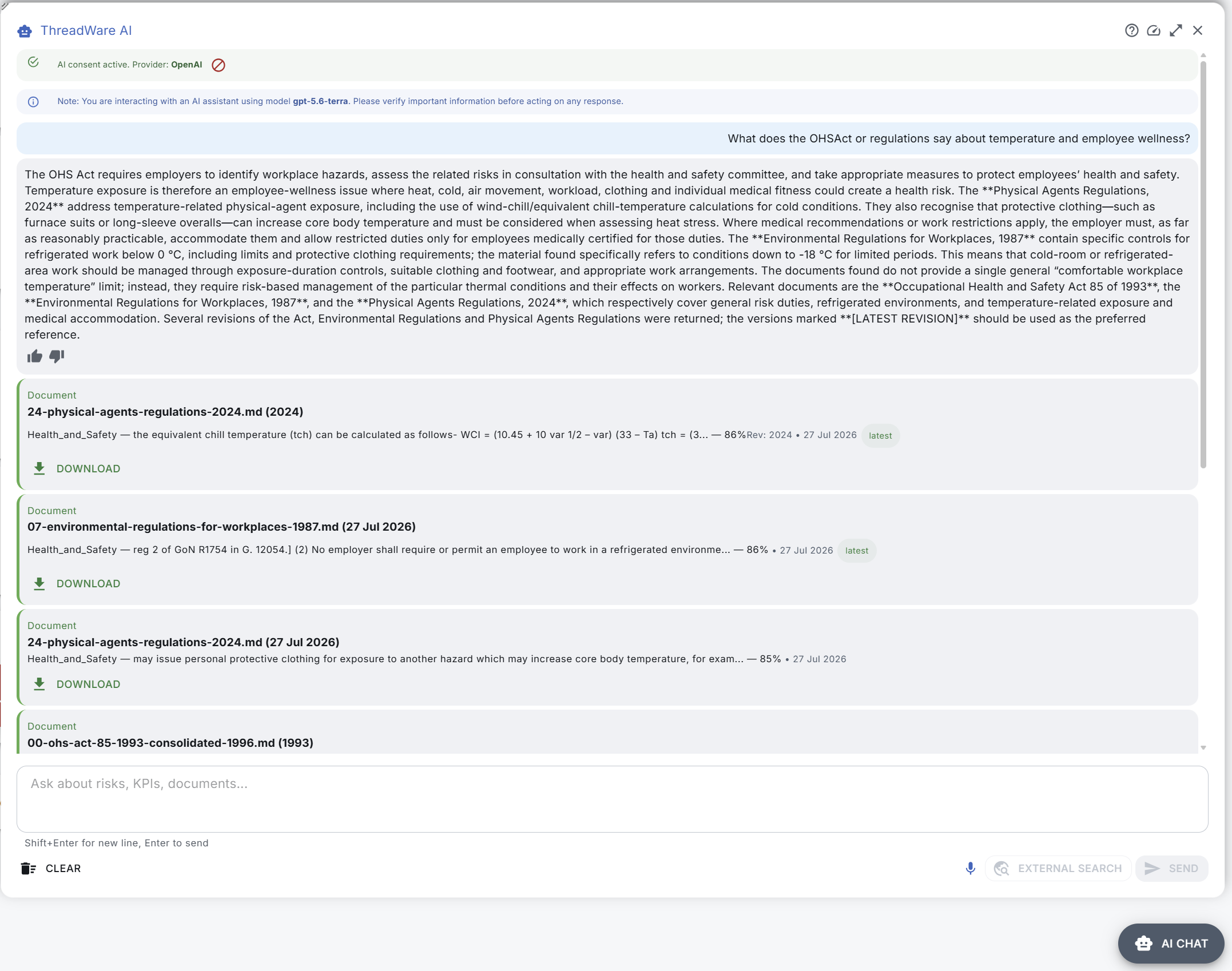
Answered from uploaded regulations, with every source document listed and downloadable.
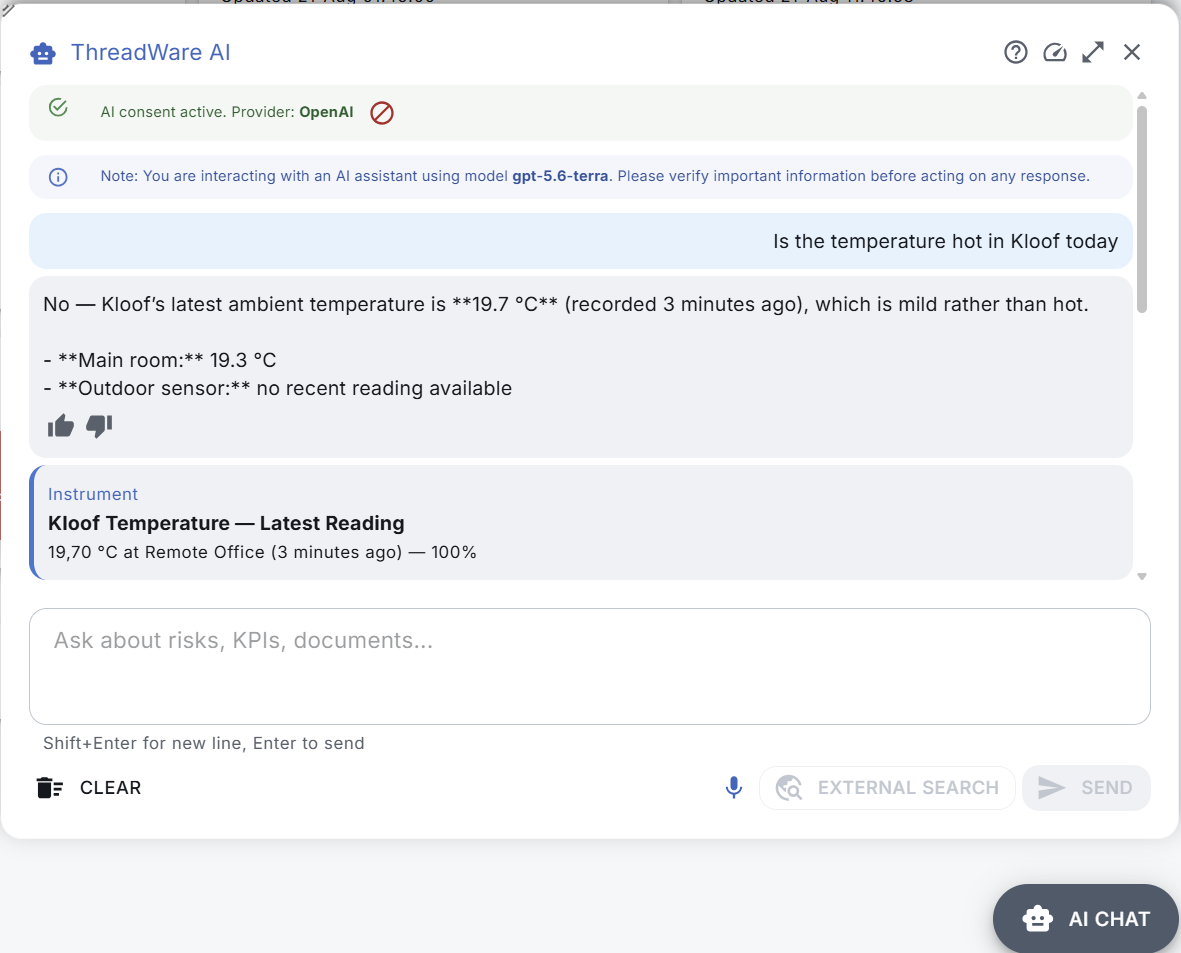
Answered from an instrument reading taken three minutes earlier, cited with its confidence.
Security and on-premise
Your data stays on your hardware
Plant data and document embeddings are held on your own servers. No document leaves the site.
Role-based access from the first release, applied to AI answers as well as screens.
Recordings are transcribed and searched on your own server; nothing from a meeting's record goes to a cloud service. Recordings are deleted after the keeping period you set.
Quality approvals and minutes are signed with a password, bound to the content signed, and logged on an audit trail whose chain can be verified at any time.
Runs on the tablets and industrial panels already on the line, back to Chromium 94.
Every domain documented in markdown alongside the code, readable by your team and by the assistant.
About ThreadWare
Built inside a working factory, not a lab
ThreadWare started as an internal tool on a production line and has been in daily use by the people it was written for ever since. Every screen exists because somebody on a shift asked for it.
The first build, written to settle a productivity wager on one plant's output.
ERP APIs and BI dashboards arrive. Accurate, auditable, and still out of reach at the line.
An assistant inside the app, querying production, instruments, risk and documents on premise - with controlled quality documents and board minutes on the same platform.
FAQ
Common questions
Does ThreadWare replace our ERP?
No. The ERP stays the system of record for financials, master data and the formal order lifecycle. ThreadWare adds live capture at the line, the links between domains, and answers out of your documents.
Where does our data live?
On your own servers (or on a cloud server if required). Plant data and document embeddings are held on premise, and access is controlled by role.
What hardware does it need?
The tablets, phones and industrial panels you already have. The client is supported back to Chromium 94, and edge devices handle capture when the network drops.
Can we upload our own documents?
Yes. Procedures, risk assessments, manuals, certificates and regulations. The assistant answers from them and lists the exact documents it used.
How long does a pilot take?
One line, one domain, one question the plant cannot currently answer, working on real data in weeks rather than quarters.
Who is it for?
Operators and shift leaders on the floor, planners, quality and maintenance in the office, and the managers, company secretary and board who run the meetings.
Can it replace our paper or shared-drive QMS?
That is what the Quality module is for: controlled documents, approvals, training records and forms in one place, with existing documents taken on in bulk. Your quality function still validates it for your own scope.
Does our meeting audio leave the building?
No. Transcription, speaker labelling and meeting search all run on your own server. The transcript is a draft for the minute-taker; the chair signs the minutes.
Pick one line
We will have it answering questions before your next production meeting. Tell us which plant and which domain, and we will come back with a scope.